KitBuild
Execute kit assembly from workbench to finished product. Scan cart, review components, capture lot/serial data with FreeForm and REUSABLE serial support, and build kits with automatic LPN printing and putaway task creation.
What is Kit Build?
Kit Build is the assembly execution process that transforms picked child components into finished parent kits. It reduces child inventory from the KIT area and adds parent inventory to the PAW (Putaway) area, automatically generating putaway work with printed LPN labels.
The workflow starts by scanning a validated KIT workbench (V1.2), then scanning the cart containing picked components. The Kit Work Status screen displays in two sections: Section I shows Parent Info (Product, Description, Kit Number), while Section II shows all work lines with WorkControlNumber, Status, Task, CartID, and LPN.
V1.9: Enhanced REUSABLE Serial Handling
Version 1.9 improves REUSABLE serial processing by removing Product & Quality from the serial existence check. The system now checks TenantId, FulfillmentCenterId, CompanyId, Quality, and SerialScan—ensuring proper constraint handling while preventing same-session duplicates via TeamMember + Date validation.
For lot-controlled products (V1.3), you must enter valid lot numbers validated against the LOTS table. For FEFO/LEFO products, expiration dates are required and must be after the current date. Serialized products (V1.6) support both FreeForm serials (fresh capture) and REUSABLE serials (V1.7-V1.9).
Version History
Workbench scan, Kit Slotting workflow
Lot entry & Expiration dates
Close Kit inventory removal
Serial capture logic
Duplicate serial handling
REUSABLE serial constraint fix
Kit Build Workflow
From workbench to finished kit in 6 steps
Scan Workbench
Scan KIT workbench barcode to start session and assign to team member.
Scan Cart
Scan cart ID containing picked child components. System validates work is ready.
Review Work Status
View all child products, quantities, and work status. Confirm components ready.
Enter Build Qty
Enter number of kits to build. Cannot exceed parent quantity from picked children.
Capture Data
Enter lot, expiration, and serial numbers as required by parent product.
Click Build
System creates inventory, prints LPN, generates putaway work, updates children.
What Happens on Build
Click "Build" and JASCI handles the rest
Parent Inventory
UPDATEINVENTORY adds kit to Area="PAW"
LPNS Record
LPN created with Status="INUSE"
Putaway Work
WORK_TYPE_HEADERS/LINES with WorkType="PUTAWAY"
Child Reduced
UPDATEINVENTORY minus (Built × Child Qty) from KIT area
Key Capabilities
Complete kit assembly with full traceability
Workbench Session (V1.2)
Sign on to a validated KIT workbench. System validates BenchType="KIT", checks status, and assigns team member. Can release active benches.
Cart Validation
Scan cart ID to load work. System validates cart exists in CARTS table and work status is Task="KITBUILD" ready.
Work Status Screen
Section I: Parent Info (Product, Description, Kit Number). Section II: All work lines with WorkControlNumber, Status, Task, CartID, LPN.
Lot Control (V1.3)
For LOT_CONTROL_PRODUCT="Y", validates lot exists in LOTS table. Warns if LOTHOLD="YES" with option to continue.
FreeForm Serials (V1.6)
Fresh serial capture. Rejects if serial exists with Status="SCAN_OUT". Creates new SERIALS record with Status="SCAN_IN".
REUSABLE Serials (V1.9)
V1.9: Removes Product & Quality from serial check. Prevents same-session duplicates by checking TeamMember + Date.
Expiration Dates (V1.3)
For DATE_SEQUENCE="FEFO" or "LEFO" products. Rejects dates equal to or before current date.
Close Kit (V1.5)
Closes all work with "USER CLOSE KIT" task. Removes child inventory from KIT area for components with QuantityProcessed > 0.
Kit Slotting (V1.2)
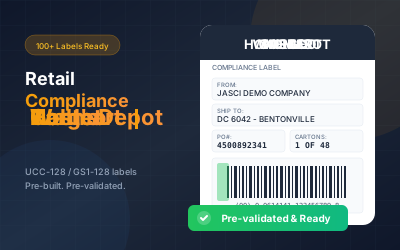
Calls Kit Slotting workflow after build. Auto-generates putaway LPN and prints label for finished kits.
Operational Impact
Efficient kit assembly with complete tracking
Frequently Asked Questions
Common questions about Kit Build
QWhat happens if I scan a cart that isn't ready for building?
The system validates that the work is at the KITBUILD task via the WORK_TYPE_HEADERS table. If Task ≠ "KITBUILD", you'll see "Work Not Ready to Build" and cannot proceed until picking is complete.
QHow does lot control work during kit build?
Added in V1.3: If LOT_CONTROL_PRODUCT = "Y", you must enter a valid lot number. The system validates the lot exists in the LOTS table. If LOTHOLD = "YES", it displays "LOT ON HOLD" with a CONTINUE button to proceed if acknowledged.
QWhat are FreeForm vs REUSABLE serial types?
FreeForm (V1.6): Fresh capture each time. If serial exists with Status="SCAN_OUT" and Task="RETURN", it updates to "SCAN_IN". Otherwise rejects duplicates. REUSABLE (V1.9): Allows rescanning but prevents same-session duplicates by checking TeamMember + Date.
QWhat changed for REUSABLE serials in V1.9?
V1.9 removes "Product & Quality" from the serial existence check for REUSABLE serials. This ensures constraints are properly met. The system checks TenantId, FulfillmentCenterId, CompanyId, Quality, and SerialScan—but not Product.
QWhat happens when I click "Close Kit"?
V1.5 update: Close Kit uses "USER CLOSE KIT" as the Last_Activity_Task. It closes all WORK_TYPE_HEADERS & WORK_TYPE_LINES for the Work_Control_Number_Group and calls UPDATEINVENTORY to remove child inventory from KIT area for lines with QuantityProcessed > 0.
QCan I build fewer kits than the picked quantity?
Yes. The Build button only enables when work Status="WORKING" and Task="KITBUILD" with can_build_parent_qty > 0 (V1.4). After building, if quantity remains, you return to Section I. When complete, you return to cart scan.
QWhere does the finished kit inventory go?
Finished kit inventory is added to Area="PAW" via UPDATEINVENTORY. The system then calls Kit Slotting workflow (V1.2), generates a putaway LPN, prints the label, and creates WORK_TYPE_HEADERS/LINES with WorkType="PUTAWAY" and WorkFlowID="PUTAWAY".
QWhat work records are created when I build?
WORK_TYPE_HEADERS: WorkType="PUTAWAY", WorkFlowID="PUTAWAY", WorkFlowStep=0, Task from WORK_FLOW_STEPS.ToTask. WORK_TYPE_LINES: Area="PAW", Location=Blank, Status="OPEN", Quantity_Required = Quantity Built.
Ready to Streamline Kit Assembly?
See how JASCI's Kit Build helps you execute efficient kit assembly with lot/serial traceability, automatic LPN printing, and smart putaway integration.