“Our WMS has AI” and “Our WMS is AI-Native”
are 2 Separate Claims
“AI” now appears on almost every warehouse software feature list. The useful question is whether that intelligence is connected deeply enough to help run the warehouse safely, with the right data, permissions, and operational controls.
A traditional WMS can execute warehouse work very well. It receives inventory, directs picks, confirms packing, and ships orders through configured rules. When conditions change, a manager must usually find the problem across several screens, interpret the evidence, and reconfigure the system or request help.
An AI-assisted WMS may forecast demand, recommend a slot, flag an anomaly, or add conversational help. But when it uses separate or delayed data, or cannot use the WMS’s own services, a person still bridges the gap between recommendation and action.
An AI-native WMS reduces that handoff. Intelligence works from current warehouse context, uses domain tools within the user’s permissions, and pauses for approval before material changes. The WMS remains the execution engine; AI becomes an operating layer inside it. AI-native does not automatically mean autonomous: the architecture determines what the intelligence can reach, while operating policy determines what it may do without human review.
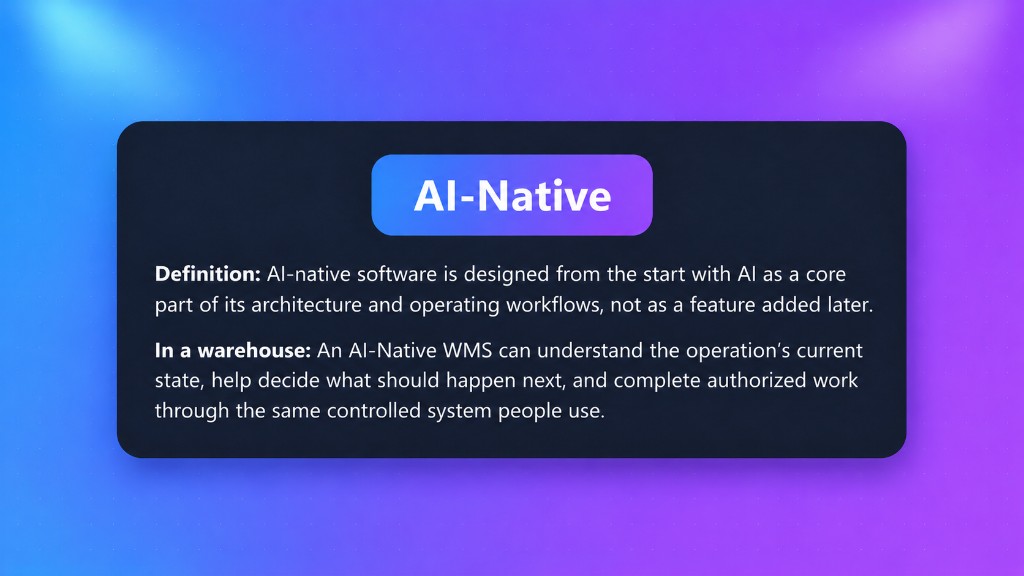
Definition: AI-native software is designed from the start with AI as a core part of its architecture and operating workflows, not as a feature added later.
In a warehouse: An AI-Native WMS can understand the operation’s current state, help decide what should happen next, and complete authorized work through the same controlled system people use.
What are the 3 WMS Models
These categories are not a simple ranking. A traditional WMS may suit a stable operation, and an added AI feature can deliver real value. The difference is how far intelligence reaches into daily work, and how much manual translation remains between an insight and an approved action. Products can also sit between categories, so buyers should evaluate the operating path for each workflow instead of relying on one label for the entire platform.
Think back to the road trip: the printed map gives fixed directions, the phone app offers advice alongside the vehicle, and the built-in map works with live vehicle context. The same progression helps explain where intelligence sits in each WMS.
Traditional WMS
The system executes configured logic. People monitor exceptions, connect information across modules, and make most changes.
- Strong transaction control
- Reports explain what already happened
- Changes often require specialized configuration
AI-Assisted WMS
AI improves selected tasks around the existing application, such as forecasting, search, anomaly alerts, or conversational help.
- Useful recommendations and predictions
- May use a separate data copy or service
- People may still re-enter or implement the answer
AI-Native WMS
AI, operational context, specialist tools, permissions, simulation, approval, and audit are designed as one product contract.
- Understands the active site and record context
- Uses governed services shared with the WMS
- Can move from question to approved action
| Question | Traditional WMS | AI-Assisted WMS | AI-Native WMS |
|---|---|---|---|
| Where does intelligence live? | In rules, reports, and the people running them | In selected features or a separate AI layer | Inside the operating architecture and user workflow |
| What data does it see? | What each screen or report exposes | Often a prepared or synchronized data set | Current, permission-scoped operational context |
| Can it take action? | Users perform the action | Sometimes; often it only recommends | Through governed tools, within permissions and approval gates |
| How does change happen? | Manual setup, tickets, or projects | AI may suggest the change | Draft, validate, simulate, approve, promote, and audit |
| What does it remember? | Transactions and configured rules | Feature-specific history | Operational evidence, decisions, approvals, and outcomes |
| Best mental model | System of record | System of record plus smart features | System of record plus a governed intelligence and action layer |
The important part is that people retain overall control of the WMS
AI-native is defined less by the model than by the product path around it. A warehouse answer must use the right site, active record, current inventory, applicable policy, and user permissions, and it needs a safe route to action.
In Phoenix, current, permission-scoped context can route a request to a specialist and governed WMS service. Review gates pause material changes, while the audit trail preserves the evidence, decision, approval, and outcome. As in the road trip, the built-in map can help with the route, but the driver still approves important choices.
Phoenix can carry out work within established policies, permissions, and approved rules. When it recommends a new operational decision or creates or changes a rule that will guide future workflows, the proposal remains pending until an authorized person reviews and approves it.
A credible AI-native design also needs a controlled stopping point. If evidence is incomplete, confidence is too low, or a required service is unavailable, the system should explain the limitation, avoid an unsupported action, and return control to a person. Because models, prompts, knowledge, and tools can change over time, teams also need repeatable evaluation, monitoring, and version history around the AI operating path.
Three connected layers, one controlled operating path
AI-native is less about a chatbot’s wording than about whether the evidence, decision, and resulting change stay connected inside the WMS.
Live context
Orders, inventory, labor, configuration, and tenant knowledge remain tied to the facility, client, record, and user.
Specialized reasoning
Domain specialists interpret the facts, identify the likely cause, and recommend a next step across warehouse functions.
Governed action
Approved services apply permissions, request review when needed, carry out authorized work, and preserve the outcome.
The key difference: the evidence, recommendation, approval, and change remain one continuous record, rather than separate tasks a manager must reconnect by hand.
More connected evidence makes warehouse problems easier to investigate
Warehouse evidence is spread across orders, inventory, labor, task queues, carrier services, automation, and customer commitments. AI-native architecture can reduce the time and handoffs needed to connect those facts. It does not eliminate the need for accurate master data, reliable integrations, clearly defined policies, appropriate permissions, and people who own the operating process.
Think of a warehouse investigation as building a case file. The order record is one witness, inventory movements are another, task history adds a timeline, and carrier or automation logs provide more clues. One signal may show where a problem surfaced; connected evidence can reveal where it began. AI can gather those records into one reviewable explanation, while the manager judges the conclusion and approves the response.
Exception investigation
Instead of opening six screens to learn why orders failed allocation, a supervisor can ask from the active page. Phoenix can gather the relevant records, explain the shared cause, and propose the next governed step.
Configuration without translation
An operations leader can describe a workflow, shipping policy, billing rule, or report in warehouse language. AI can draft the configuration, while validation, simulation, review, and promotion keep the change controlled.
Cross-functional decisions
An inbound surge is not only a receiving issue. It can affect putaway, replenishment, labor, slotting, and automation. Specialized agents can coordinate the context instead of leaving each team with a separate alert.
Continuous improvement
Go-live does not freeze the operation. Teams can use current results, exceptions, and performance evidence to refine policies as volume, channels, clients, and labor conditions change.
A practical rollout can start with one high-friction, reviewable workflow rather than broad autonomy. Teams can establish a baseline and compare measures such as exception-resolution time, manual touches, approval turnaround, repeated errors, recommendation acceptance, and reversals before expanding the operating scope.
An Everyday Example with Each Model
“Why are these priority orders not shipping?”
“No unified answer is available. Check orders, allocation, inventory, and trouble screens.”
The manager connects the evidence and changes the rule or opens a support request.
“The records suggest an allocation-policy issue. Consider changing the policy.”
The manager then finds the configuration and implements the change.
“These orders share an allocation constraint. An evaluated policy change is ready for approval.”
The governed path keeps the decision, approval, action, and audit record connected.
Same question. Three very different paths to action: a road closure handled with a printed map, a phone app, or built-in navigation.
Seven questions that reveal whether AI is native or an add-on
Product demonstrations make every assistant look fluent. The real test is what sits behind the answer. Ask a vendor to walk one warehouse problem from signal to decision to action, and use these questions to inspect the path. A useful maturity sequence is answer, explain, recommend, simulate, approve, act, and monitor; a product may reach different stages in different workflows.
Procurement and security teams should also document which model providers can access data, whether customer data is used for training, where information is processed and retained, how updates are evaluated, and what fallback and incident-response procedures apply. Those answers are product- and contract-specific, so they should be verified rather than inferred from an AI-native label.
Question 1 of 7
Phoenix makes AI part of the warehouse operating layer
JASCI created Phoenix so a WMS could do more than record transactions and display alerts. It helps operations teams connect evidence across functions, configure a response, and carry out authorized work without turning every improvement into a separate integration project.
Phoenix brings AI Studio, specialized warehouse agents, predictive models, grounded retrieval, analytics, and governed tools into the same platform as warehouse execution and 3PL billing. Intelligence stays close to live work while tenant isolation, role permissions, approvals, and auditability remain intact.
How Phoenix implements the architecture
Phoenix turns the operating path into a product stack: controls govern the specialists, and the specialists work from shared operational context.
-
Top layerHuman control
Permissions, simulation, approval gates, explanation, and audit history keep business intent in charge.
-
Working layerSpecialists and tools
Domain agents can investigate and coordinate work through the same governed services behind the product.
-
Foundation layerGrounded intelligence
Warehouse knowledge and current operational context give the assistant evidence beyond a generic language model.
The stack appears across Phoenix: AI Studio coordinates specialists; AI Remote Control drives authorized workflows; Analytics Builder creates governed reports; Shipping AI preflights carrier rules; and billing, labor, and slotting tools turn activity into reviewable decisions.
Phoenix is therefore more than a chatbot beside a traditional WMS: intelligence, knowledge, tools, and controls operate as one platform.
AI-Native WMS FAQ
What is an AI-Native WMS?
An AI-native WMS is designed so AI works inside the warehouse operating architecture. It can use current operational context, specialized tools, permissions, simulations, approval gates, and audit records to help people understand and improve warehouse work.
How is an AI-Native WMS different from an AI-Assisted WMS?
An AI-assisted WMS may add useful AI features such as chat, forecasting, or recommendations to an existing application. An AI-native WMS makes intelligence part of the core operating loop, connected to live warehouse context and the same governed services that execute work.
Does AI-Native mean the WMS runs without people?
No. In Phoenix, people define objectives, permissions, and policies. AI can investigate, explain, draft, simulate, and perform authorized work, while material changes can require human review and approval.
Is a chatbot enough to make a WMS AI-Native?
No. A chatbot may answer questions, but AI-native architecture also connects the assistant to current operational context, domain knowledge, governed tools, role permissions, approval gates, and audit history.
Does JASCI train its own large language model?
That is not what makes Phoenix AI-native. Phoenix combines commercial language models with JASCI warehouse knowledge, in-database AI capabilities, predictive models, specialist agents, and governed WMS services. The native claim describes the application architecture around the models.
Can a traditional WMS add valuable AI?
Yes. Forecasting, computer vision, optimization, anomaly detection, and conversational search can all create value. Buyers should determine whether the feature only advises from the side or is safely connected to the data, tools, permissions, and change process that run the warehouse.
What should we ask to see in a Phoenix demonstration?
Bring a real workflow or exception. Ask JASCI to show the current records, the knowledge and policy used, the specialist involved, the proposed action, the approval point, and the audit record. A complete path is more revealing than a list of AI features.
Sources and related reading
See the difference in one live warehouse problem
Bring JASCI your highest-friction workflow, exception, or operating goal. We will show how Phoenix connects the data, explanation, approval, and action inside one AI-native WMS.
Request a Phoenix demo